no install · no account · free
Free webcam recorder record yourself, right in this tab
Record a quick face-to-camera message with your webcam and mic, nothing to install. It uploads while you talk, so the share link is ready the moment you finish.
So you can see yourself and record a video message. Nothing records until you press Record, and you can mute the mic any time.
Uploads while you record, so the link is ready when you finish. Anyone with the link can watch. Free: up to 5:00 at 1080p, with a small ClipMe mark.
Record a webcam video in three steps
The upload happens while you talk.
1Allow your camera
Your browser asks once. Check your framing with the guides, pick your camera and mic, and watch the mic meter.
2Record
Press Record, count down from three, and talk. Pause, mute or delete it from the little pill.
3Finish and share
Finish copies the link and opens your video’s page. Paste the link anywhere; people watch in their browser.
Which webcam recording do you need?
All of them record your face and voice. They differ in what else is in the video and where it is saved.
| Feature | Webcam recorder (this page) | ClipMe extension | Your computer’s camera app |
|---|---|---|---|
| What is in the video | You, full frame | You full frame, or a tab with you in a bubble | You, full frame |
| Microphone | Yes | Yes | Yes |
| Install | None | Chrome Web Store, once | Built in |
| Saved as | A share link (uploaded while you record) | MP4 on your computer, optional share link | Depends on the app |
| Trim in the same place | No | Yes | Depends on the app |
| Share link when you stop | Yes | Yes, with Instant link | No |
Free records up to 5 minutes at 1080p, with a small ClipMe mark in the corner. Pro records longer and sharper, with no mark. See pricing
Want yourself in a bubble over your screen?
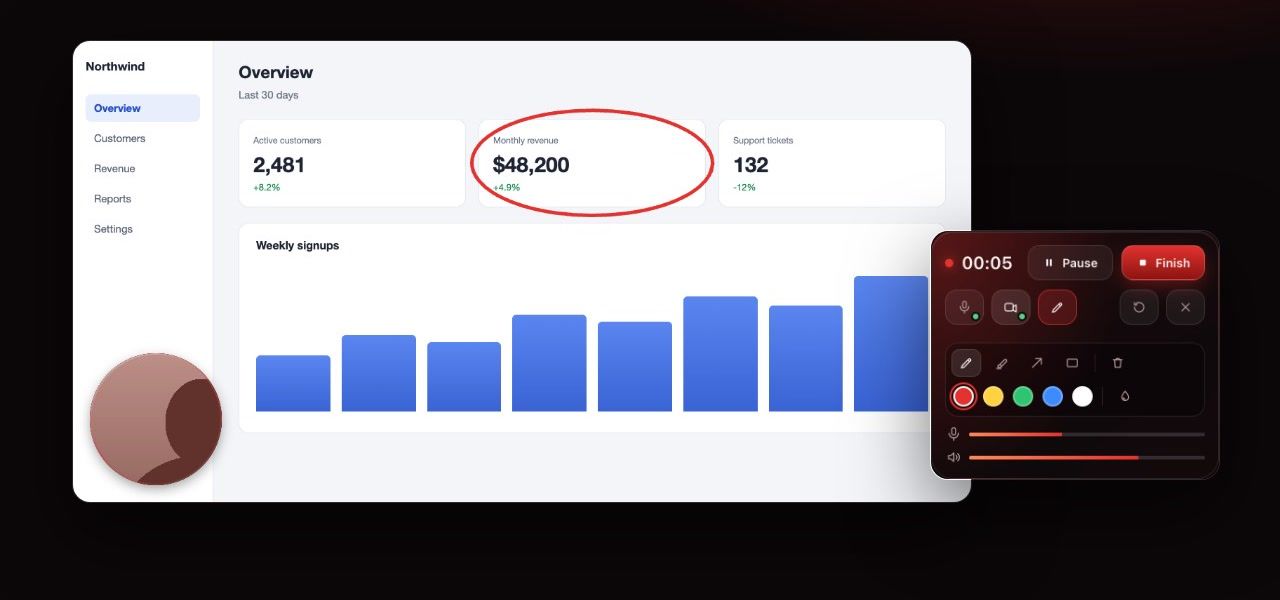
The online screen recorder puts your camera over a window, a tab or your whole screen. The ClipMe extension gives you a bubble you control:
Two shapes
A circle, or a rounded square that shows more of your shoulders and hands.
Three sizes
Small for a code walkthrough, large for a lesson where your face matters.
Drag it anywhere
Move it off the button you are about to click. It stays put for the rest of the recording.
Mirror toggle
Mirror the bubble so it feels natural, or turn it off so text behind you reads correctly.
On and off mid-recording
Switch the camera off for a sensitive screen and back on afterwards.
Only on the recorded tab
The bubble is added to the tab you record, never to other pages.
Frequently asked questions
Can I record just my webcam, without the screen?
Yes. This page records your webcam full frame with your microphone, right in your browser. Press Record, talk, and press Finish: you land on your video’s page with the share link copied.
Do I need to install anything?
No. The webcam recorder runs in this browser tab, in Chrome, Edge, Firefox and Safari. Your browser asks for your camera and microphone the first time you turn them on.
What shape is the video?
Your camera’s own shape, full frame: 16:9 on most webcams, 4:3 on some older ones. It is never stretched or upscaled. Chrome, Edge and Safari save an MP4 (H.264 and AAC); Firefox saves a WebM, which plays everywhere the link is opened.
Is the video mirrored like my preview?
Yes: the video is recorded exactly as your preview shows it. Mirror is on at first, like a mirror, so moving feels natural. Turn Mirror off before you record and the video shows you the way other people see you, so text behind you reads the right way round.
Can I show my webcam over a screen recording?
Yes. The online screen recorder puts your camera in a bubble over the window, tab or screen you share, and the ClipMe extension does the same on a tab, with a bubble you can drag, resize and reshape.
Can I hide my webcam halfway through?
In a screen recording, yes: turn the camera off and on from the control bar, and the video shows or hides the bubble at those moments. Here the camera is the video, so pause instead, and resume when you are ready.
Where does my recording go?
It uploads while you record, so the share link is ready when you finish. Anyone with the link can watch it, and you can delete it from your video’s page in the same browser. If the upload fails, the recording stays on this page so you can try again or download it.
Is the webcam recorder free?
Yes, and you do not need an account to record. Free recordings are up to 5 minutes at 1080p and carry a small ClipMe watermark. Pro ($8 a month or $72 a year) removes the time limit and the watermark, records up to 1440p and adds view analytics.
Does ClipMe turn on my camera without asking?
No. Nothing turns on when this page loads. ClipMe asks first, then your browser asks for camera and microphone permission. The camera light is on only while the preview or a recording is running.