Loom alternative
The Loom alternative that hands you the MP4
Loom’s free Starter plan caps you at 25 videos and does not let you download them. ClipMe Free needs no account to record, has the share link ready when you stop, and gives you the MP4 with a free account. Need longer than 5 minutes? Pro is $8 a month, less than half of Loom Business.
Free plan · No account to record or share · Chrome and ChromeOS
On a phone? ClipMe records on a computer or Chromebook, so open this page there.
ClipMe vs Loom
| Feature | ClipMe Free | ClipMe Pro | Loom Starter | Loom Business |
|---|---|---|---|---|
| Price | Free | $8 / month or $72 / year | Free | $18 per user / month |
| Length per recording | 5 minutes | No limit | 5 minutes | Unlimited |
| Download as a file | MP4, every recording | MP4, every recording | No | Yes |
| Branding on videos | Small ClipMe watermark | None, or your own logo | Loom branding | Removable |
| Account to record | No | Yes | Yes | Yes |
| Share link while recording | Yes (Instant link) | Yes (Instant link) | Yes | Yes |
| View analytics | No | Yes | Yes | Yes |
| Comments and reactions | No | No | Yes | Yes |
| AI titles and summaries | Automatic, on uploaded clips | Automatic, on uploaded clips | No | Business + AI plan, $24 |
Checked on against: loom.com/pricing, Loom’s download help page. Prices and limits change, so check the linked pages before you decide.
Why people are leaving Loom
When we read the Chrome Web Store listing on November 9, 2026, Loom had 8 million users and a 2.67-star rating, and 74% of its 500 most recent reviews were one or two stars. The complaints are specific.
“Companion” buttons on every site
ClipMe adds nothing to pages you are not recording. Its bubble and controls live only on the recorded tab.
Free limits that arrive after install
ClipMe Free’s length, quality and watermark are on the pricing page before you install: Free records up to 5 minutes at 1080p with a small watermark, and a recording that reaches the limit is saved, not lost.
Recordings that vanish
ClipMe writes to disk every second and recovers the recording after a crash.
Shortcuts that clash with typing
ClipMe’s shortcuts use Ctrl + Shift (Control + Shift on Mac) combos that do not type characters, and each can be changed.
When Loom is still the better choice
If your team lives in Loom’s workspace, with comments on videos, viewer insights, AI summaries and the Slack and Jira integrations, ClipMe does not replace that today. Loom is also available as a desktop and mobile app; the ClipMe extension needs Chrome, and there is no mobile app.
If what you need is to record a video, send it, and keep the file, ClipMe Free does that for short videos and Pro does it at any length. See Loom’s pricing explained for what each Loom plan costs.
Frequently asked questions
Is ClipMe a free Loom alternative?
Yes. ClipMe Free records, trims and makes share links with no account, and downloads MP4s with a free account. Free recordings are up to 5 minutes at 1080p and carry a small ClipMe watermark, like Loom Starter’s 5 minutes, but unlike Loom Starter every recording downloads as an MP4. Pro ($8 a month or $72 a year) removes the time limit and the watermark, records up to 1440p and adds view analytics.
Does ClipMe have instant share links like Loom?
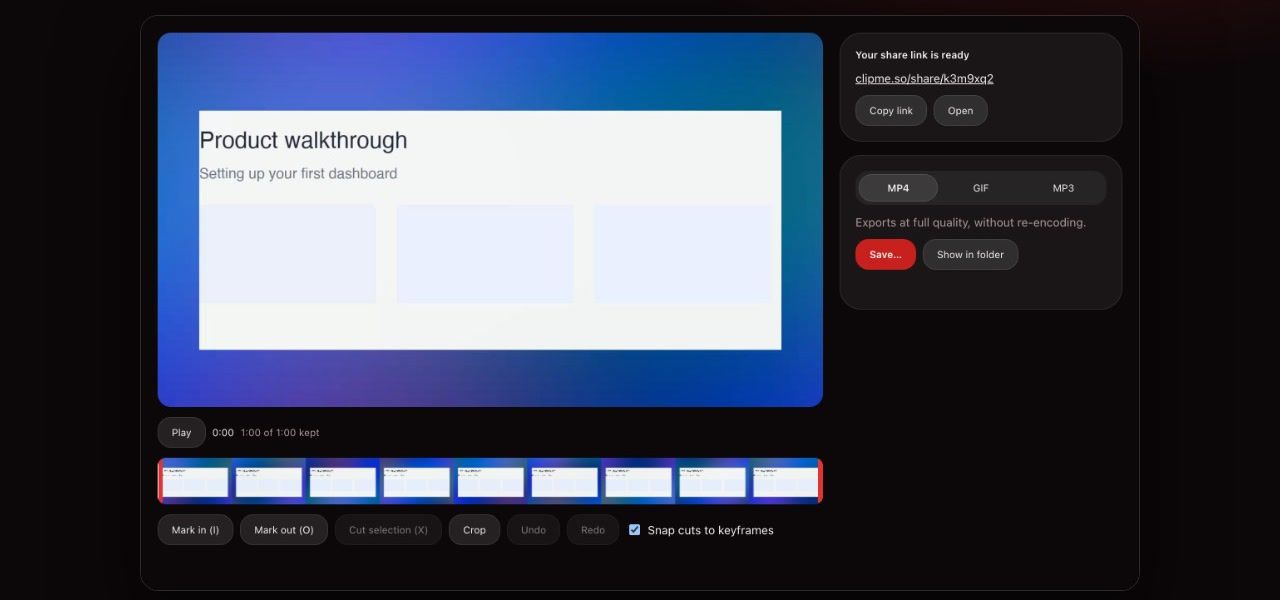
Yes. With Instant link on, ClipMe uploads while you record, so the link is ready when you stop. Viewers watch in the browser without an account. On Pro you also see view analytics.
What does Loom do that ClipMe does not?
Loom has comments and emoji reactions on videos, team workspaces, AI captions, and integrations with tools like Slack and Jira. ClipMe has none of those. It can write an automatic title and one-sentence summary for an uploaded clip, and otherwise focuses on recording reliably and giving you a file you own.
Can I download my videos as MP4?
Always. Every ClipMe recording can be downloaded as an MP4 that seeks in any player. Loom only allows downloads on its paid plans.
Do I need to install a desktop app?
No. The ClipMe Chrome extension does not need a desktop companion, and it does not add a button to every website you visit.
Can I move my existing Loom videos to ClipMe?
Not automatically. ClipMe works on new recordings. If you are on a Loom paid plan you can download your Loom videos as files and keep them.
Keep reading
Try the Loom alternative that keeps your files
Click the ClipMe icon, then Record. Free to record and share with no account, and a free account gets you an MP4 you can actually open. Pro removes the time limit and the watermark.