Screen Studio alternative
A Screen Studio alternative that runs in Chrome, on any computer
Screen Studio makes beautiful product videos, but only on a Mac and from $9 a month. ClipMe is a free recorder for Windows, Chromebook and Mac, inside Chrome. It does not do automatic zoom yet, and this page says exactly what it does do.
Free plan · No account to record or share · Chrome and ChromeOS
On a phone? ClipMe records on a computer or Chromebook, so open this page there.
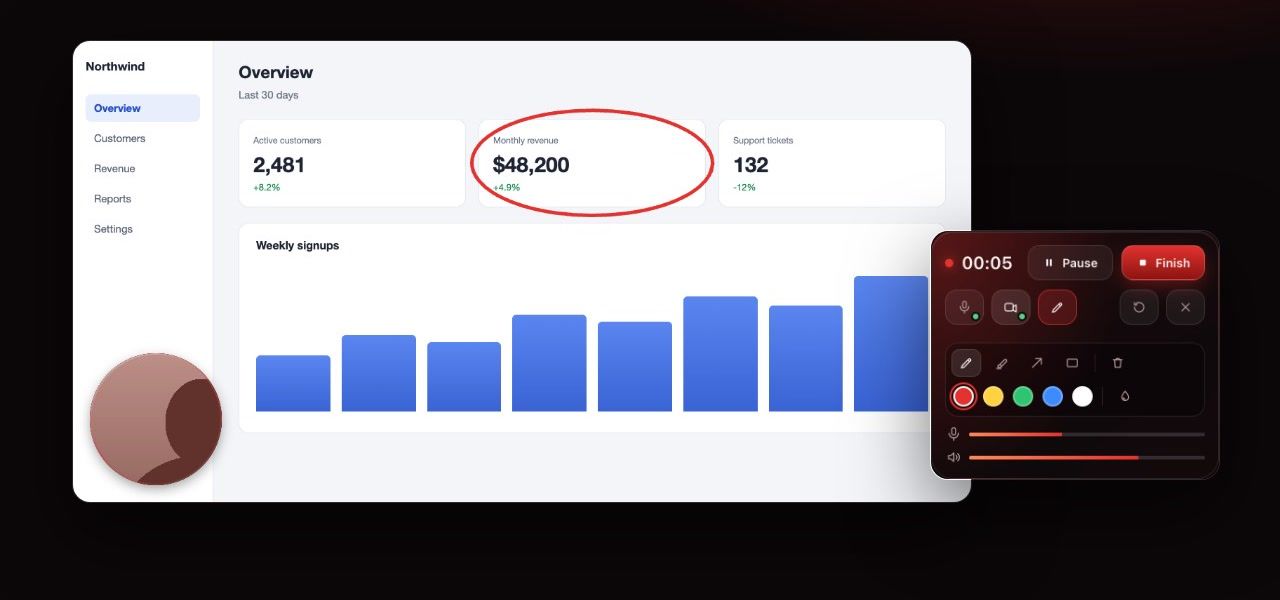
ClipMe vs Screen Studio
| Feature | ClipMe | Screen Studio |
|---|---|---|
| Runs on | Chrome on Windows, macOS and ChromeOS | macOS only (13.1 or later recommended) |
| Price | Free, or Pro at $8 / month or $72 / year | $29 / month, or $9 / month billed yearly |
| Automatic zoom on clicks | Not yet (clicks and cursor are recorded) | Yes |
| Backgrounds, padding, smooth cursor | Not yet | Yes |
| Webcam | Bubble on the recorded tab | Yes |
Checked on against: screen.studio. Prices and limits change, so check the linked pages before you decide.
What ClipMe does today
Clean tab recordings
Record just the browser tab with your product, with its sound: 1080p on Free, up to 1440p at 60 fps on Pro.
Click and cursor tracking
Every click and cursor movement in a tab recording is saved with the video as data, ready for zoom editing later.
Draw to point things out
Arrows, boxes, a pen and a highlighter, with ink that fades on its own.
Trim, cut and crop
Cut out the mistakes and crop to the part of the page that matters.
GIF for the changelog
Export up to 30 seconds as a GIF for a README, a tweet or release notes.
Free to start, on every OS
Free needs no subscription. Pro is $8 a month for longer recordings with no watermark.
If you are on a Mac and want polish today
Screen Studio is excellent at what it does: automatic zooms, a smooth cursor, backgrounds and export presets for social video. If you record launch videos on a Mac every week, it is worth the subscription. ClipMe is the free choice when you are on Windows or a Chromebook, when your team is mixed, or when you just need a reliable recording in Chrome.
Frequently asked questions
Is there a Screen Studio for Windows or Chromebook?
Screen Studio itself is Mac-only. ClipMe runs in Chrome on Windows, macOS and ChromeOS, so you can record product demos on any of them.
Does ClipMe have automatic zoom like Screen Studio?
Not yet. ClipMe already records where you click and where your cursor moves during tab recordings, which is what automatic zoom is built from, but it does not apply zooms to the video today. We will not claim it until it ships.
How much does Screen Studio cost?
Screen Studio lists $29 a month on monthly billing, or $9 a month billed yearly, with 40% off for students and educators. One-time licenses are no longer sold to new customers.
Is ClipMe free?
ClipMe has a Free plan: recording, trimming and share links with no account, and MP4 downloads with a free account. Free recordings are up to 5 minutes at 1080p and carry a small ClipMe watermark. Pro ($8 a month or $72 a year) removes the time limit and the watermark, records up to 1440p and adds view analytics.
What quality can ClipMe record?
Free records at 1080p and 30 frames per second. Pro adds 1440p, at up to 60 frames per second. Everything is H.264 MP4, and ClipMe shows the estimated file size per minute next to each setting.
Keep reading
Record your next demo in Chrome
Click the ClipMe icon, then Record. Free to record and share with no account, and a free account gets you an MP4 you can actually open. Pro removes the time limit and the watermark.