Free tools
Free video recording tools for your screen, camera and browser
Everything you need to record and share a video, free to start. Start with the free screen recorder Chrome extension, or record in your browser with nothing to install. Free recordings run up to 5 minutes at 1080p, and every one downloads as a real MP4.
Free plan · No account to record or share · Chrome and ChromeOS
On a phone? ClipMe records on a computer or Chromebook, so open this page there.
Pick your free recorder
Each tool is ClipMe underneath: the same recorder, tuned for a different job.
- Chrome extensionHot
Screen recorder Chrome extension
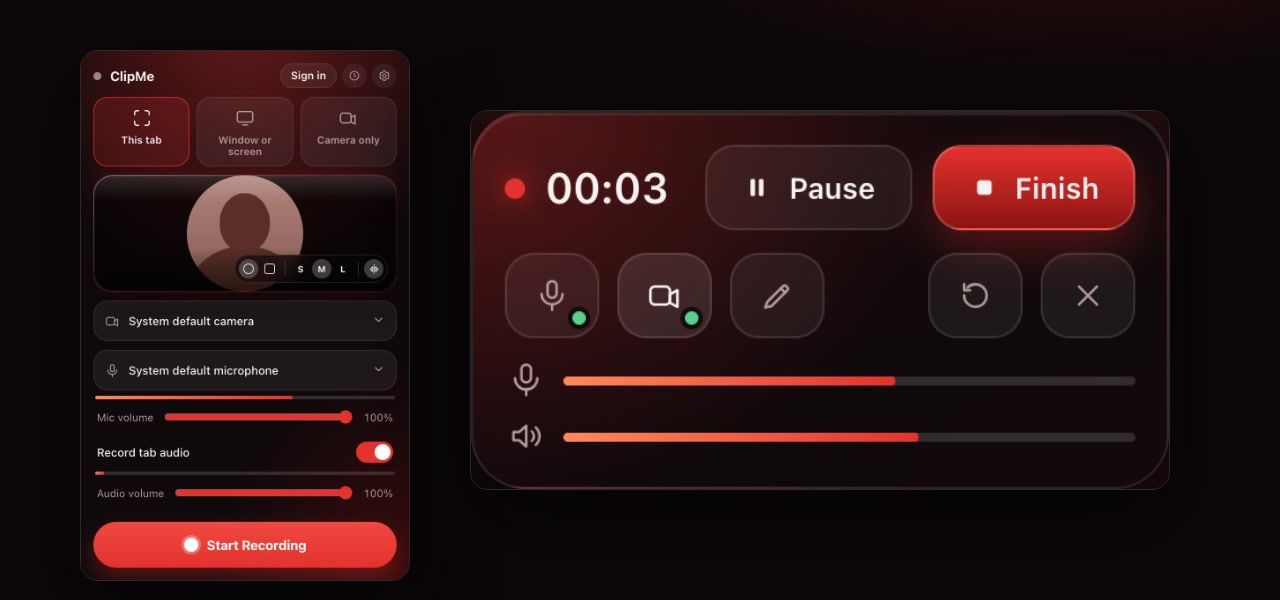
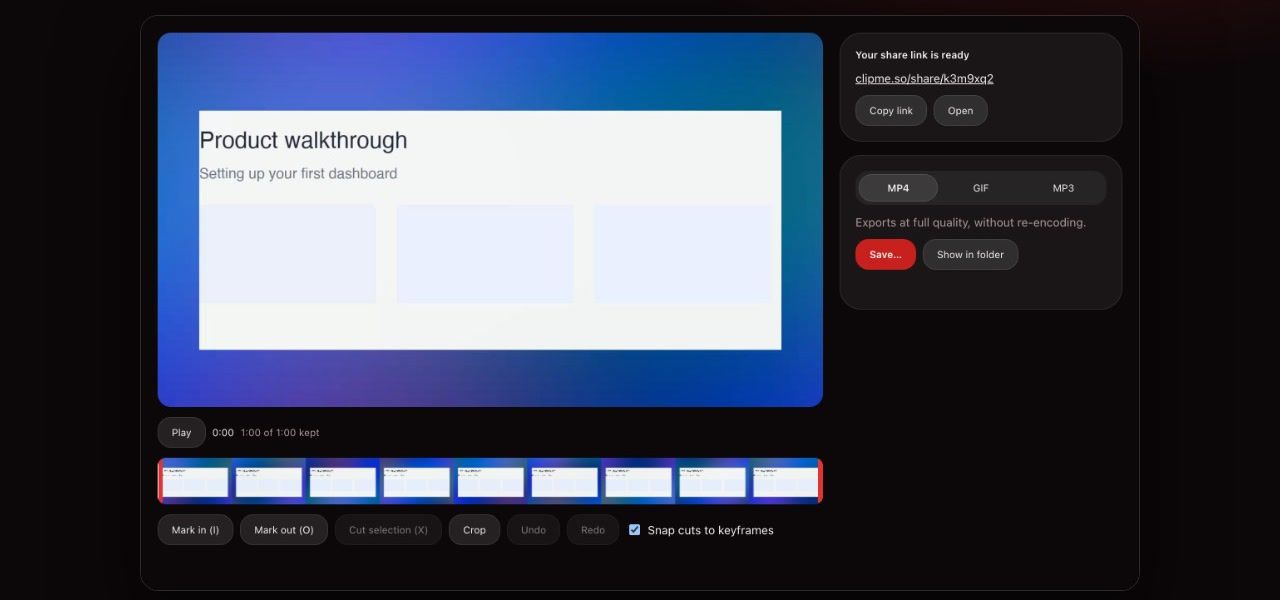
The free screen recorder Chrome extension. Record your whole screen, a window or one tab, with your mic, tab audio and a webcam bubble. Trim, then download an MP4 or copy a share link.
Best for: Everyday screen recording on Windows, Mac and Chromebook
 Open the tool
- In your browserHot
Online screen recorder
A browser-based screen recorder with nothing to install. Open the page, pick a screen and your camera, and get a share link when you stop.
Best for: Managed laptops that block extensions, or a one-off recording
Open the tool - Camera
Webcam recorder
Record just your webcam, or float it over your screen as a circle or rounded square in three sizes. Turn the camera on and off mid-recording.
Best for: Video messages, intros and talking-head updates
Open the tool - Audio
Screen recorder with audio
Record your mic and the tab’s sound together, each with its own volume slider and live level meter, plus a warning if your mic goes silent.
Best for: Tutorials, demos and anything where the sound matters
Open the tool - ChromeOS
Chromebook screen recorder
The Chromebook’s built-in tool saves WebM. ClipMe saves MP4 with tab audio, a webcam bubble and crash recovery, on any ChromeOS device.
Best for: Students and teachers on Chromebooks
Open the tool
Extension or online recorder?
Both are free. The extension does more; the online recorder needs nothing installed.
| Feature | Chrome extension | Online recorder |
|---|---|---|
| Install | Chrome Web Store, once | Nothing, it runs in a tab |
| Browsers | Chrome on Windows, Mac and ChromeOS | Chrome, Edge, Firefox and Safari |
| Record this tab in one click | Yes, with its audio | Through the browser’s picker |
| Saved as | MP4 on your computer, optional share link | A share link, uploaded while you record |
| Crash recovery | Yes, up to the last second | No |
| Trim, drawing, GIF and MP3 export | Yes | No |
| Works when extensions are blocked | No | Yes |
Why free tools, and why ClipMe
Most free screen recording software is a trial in disguise: a cap on how many videos you keep, a short time limit, or your own recording locked behind an upgrade before you can download it. ClipMe’s Free plan does have limits (5 minutes at 1080p, with a small watermark), but it never puts your file behind a paywall. Every recording downloads as an MP4 with a free account, and you never need an account to record or share.
The reason is personal. ClipMe was built by someone who would rather send a quick video than a wall of text, and who wanted everyone to be able to do the same. Read our story.
Frequently asked questions
What are the best free video recording tools?
It depends on where you record. For everyday screen recording, a free screen recorder Chrome extension like ClipMe is the quickest: it records a tab, window or your whole screen with audio and a webcam bubble. If you cannot install extensions, use an online screen recorder that runs in a browser tab.
Is the ClipMe Chrome extension free?
Yes. The Free plan records, trims and makes share links with no account, and downloads MP4s with a free account. Free recordings are up to 5 minutes at 1080p and carry a small ClipMe watermark. Pro ($8 a month or $72 a year) removes the time limit and the watermark, records up to 1440p and adds view analytics.
Can I record my screen without installing anything?
Yes. The ClipMe online screen recorder runs in a normal browser tab, so there is nothing to install. It works on managed Chromebooks and work laptops that block extensions, and gives you a share link when you stop.
Do these free tools need an account?
Not to record or share: you can record, trim and send a link without signing in. Downloading the video needs a free account, which takes one click with Google and keeps your links with you on any computer.
What format do the recordings save in?
MP4 with H.264 video and AAC audio, which opens in QuickTime, Windows Photos, VLC and every browser. You can also export a GIF of up to 30 seconds, or just the audio as MP3.
Keep reading
Start with the free Chrome extension
Click the ClipMe icon, then Record. Free to record and share with no account, and a free account gets you an MP4 you can actually open. Pro removes the time limit and the watermark.