Screen recorder Chrome extension
The free screen recorder for Chrome
Record your screen, a tab, a window or your camera, with your mic and the tab’s sound. Draw as you talk, then copy a share link or download an MP4. Free to record and share with no account.
Free plan · No account to record or share · Chrome and ChromeOS
On a phone? ClipMe records on a computer or Chromebook, so open this page there.
Coming soon to the Chrome Web Store
Everything you need to record a quick video
One extension for the screen, a tab, a window or your camera, with the sound you meant to record.
Screen, tab, window or camera
Record your whole screen, one app window, the tab you are on, or just your webcam.
Mic and tab audio
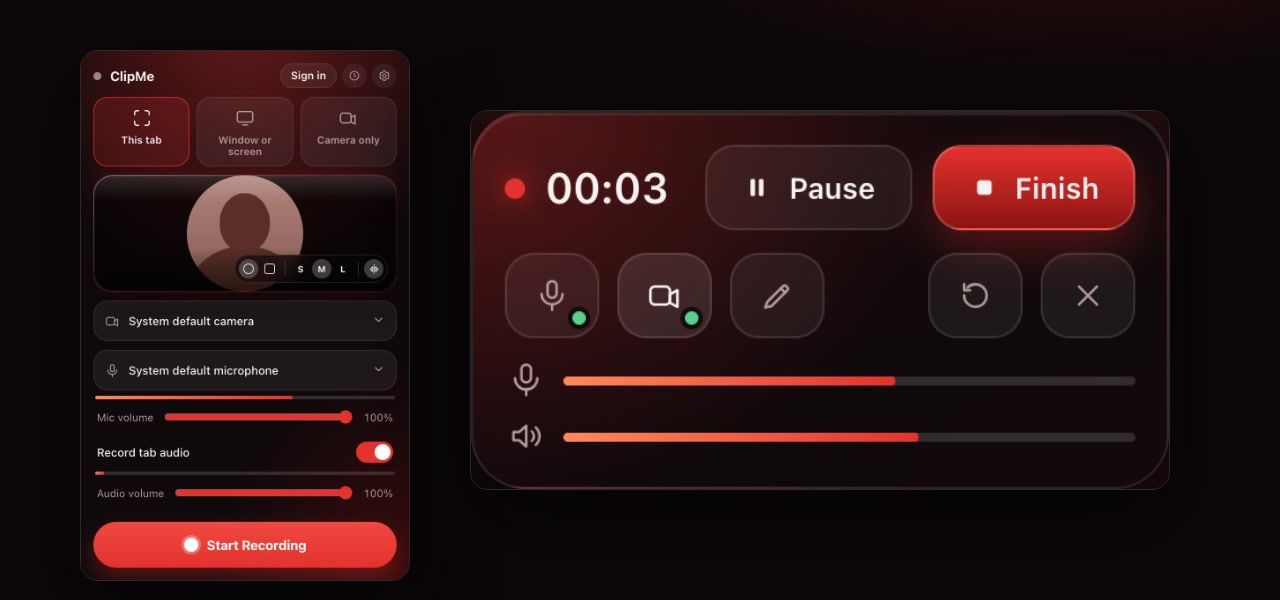
Your voice and the tab’s sound together, each with its own volume slider and live meter.
Webcam bubble
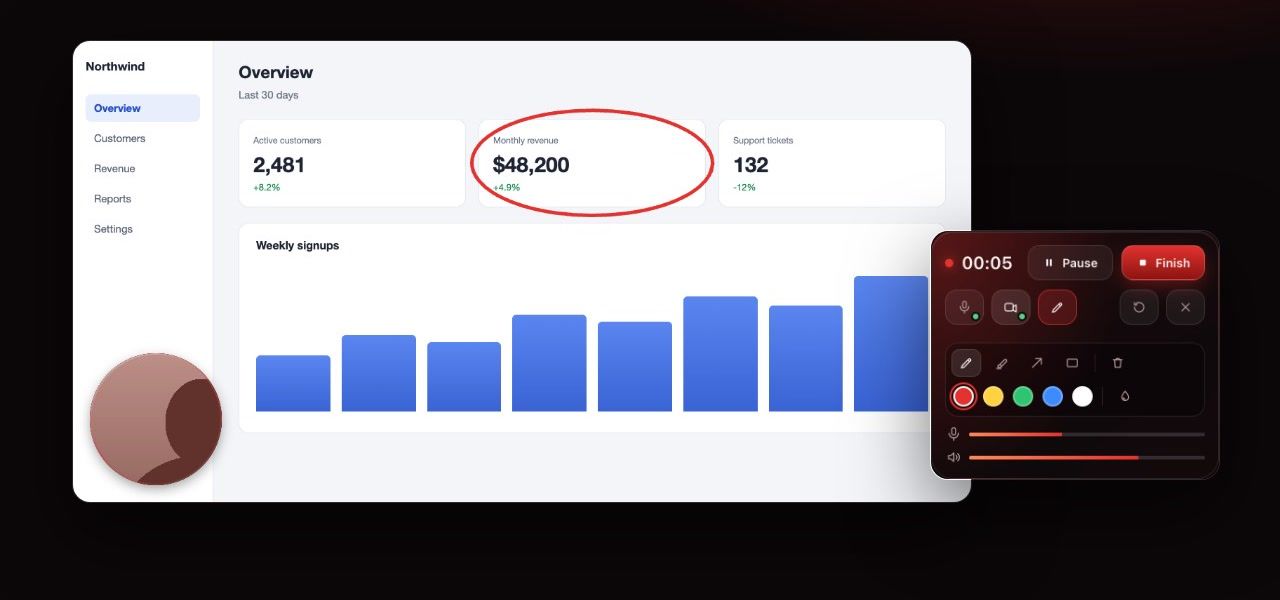
Your face in a circle or rounded square, in three sizes, over whatever you record.
Draw while you record
Pen, highlighter, arrows and boxes, so people see exactly what you mean.
Instant share link
It uploads while you record, so the link is copied the moment you stop. Turn it off to keep videos on your device.
MP4 download
A real MP4 that opens in QuickTime, Windows Photos and VLC. Free recordings run up to 5 minutes at 1080p.
See it in action
The real extension, as it looks on the Chrome Web Store.
Audio you can see
Hear it before you record it
Live meters for your mic and the tab, in the popup and in the control bar, and a warning the moment your mic goes quiet. More on the screen recorder with audio page.
Share
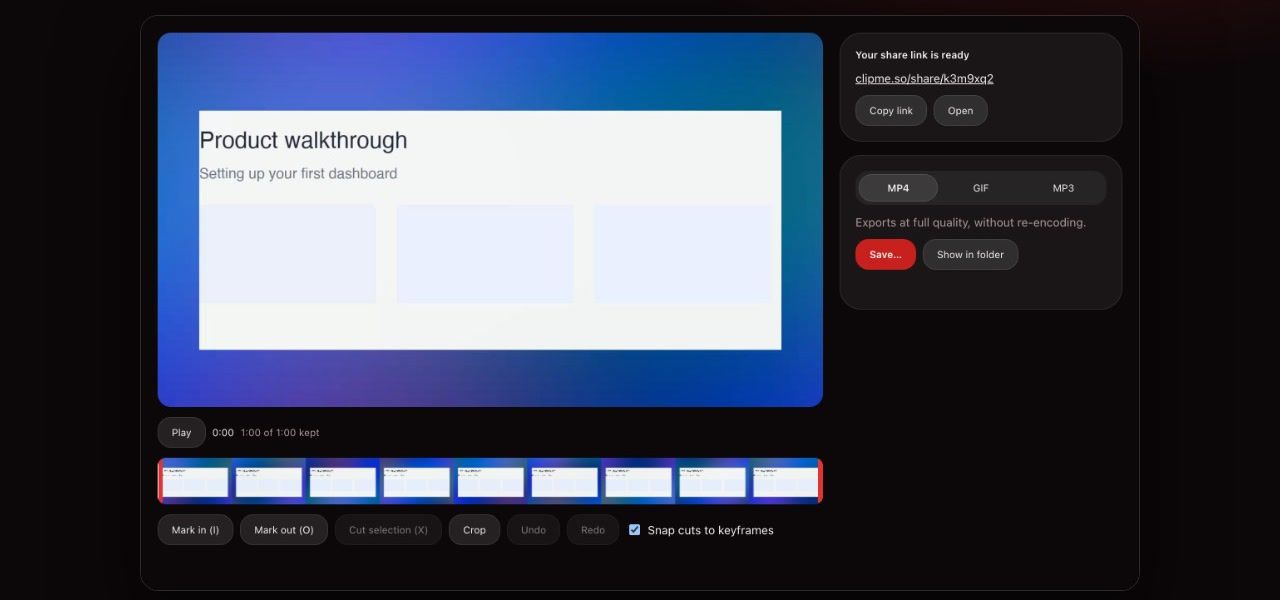
Your share link is ready when you stop
Copy the link and paste it anywhere. People watch in any browser, with no account and nothing to install.
Trim and export
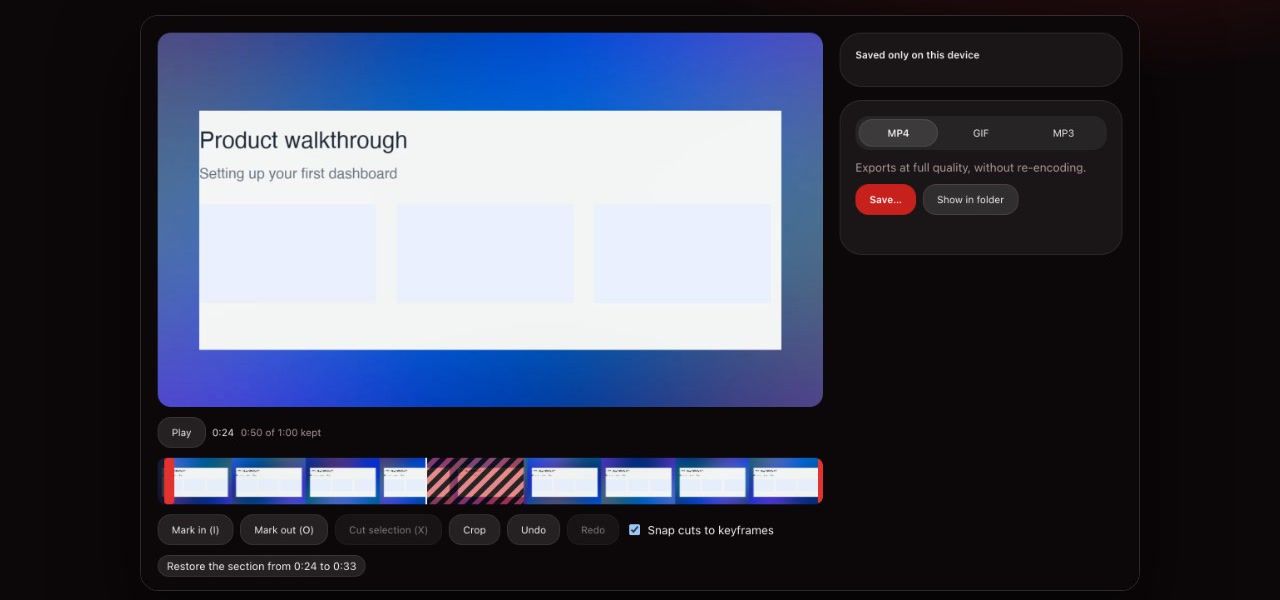
Cut the ends, keep an MP4
Trim the start and the end, cut out a stumble, then download an MP4, a short GIF or just the audio as MP3.
Never lose a take
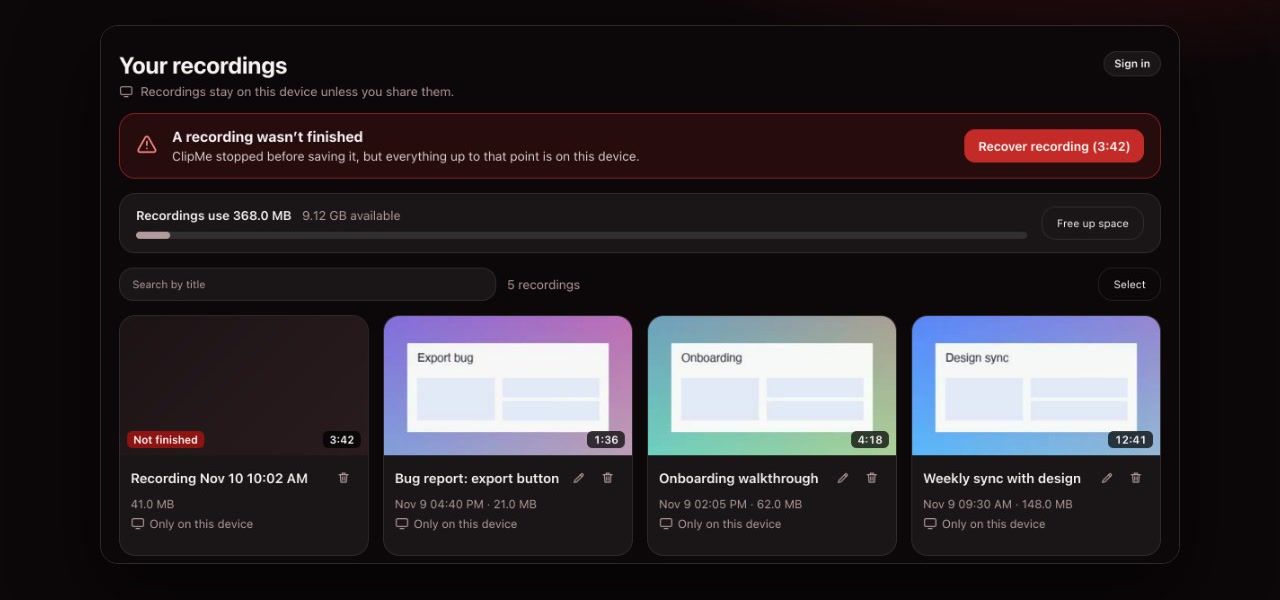
Chrome crashed? Your video didn’t
ClipMe saves to your computer every second. If Chrome closes mid-recording, it offers to recover the video the next time you open it.
Make the point in one take
Webcam bubble
Your face over your screen
A circle or a rounded square, in three sizes. Drag it anywhere, or turn it off mid-recording.
Draw on your screen
Circle it. Point at it. Done
Pen, highlighter, arrows and boxes in five colors, right on what you record. Strokes fade on their own, or stay until you clear them.
Instant link
Hit stop. The link is already copied
With Instant link on, ClipMe uploads while you record, so the link is copied the moment you stop. Paste it in Slack, an email or a ticket.
How it works
Three steps, and the first one only happens once.
1Add it to Chrome
One click on the Chrome Web Store. Pin ClipMe to your toolbar so it is always one click away.
2Pick what to record
Click the ClipMe icon, choose your screen, a window, this tab or your camera, and turn on your mic. Press Record.
3Stop, then share or download
Trim the ends if you like, then copy the share link or download the MP4.
Extension or online recorder?
Both are free. The extension does more; the online recorder needs nothing installed.
| Feature | Chrome extension | Online recorder |
|---|---|---|
| Install | Chrome Web Store, once | Nothing, it runs in a tab |
| Browsers | Chrome on Windows, Mac and ChromeOS | Chrome, Edge, Firefox and Safari |
| Record this tab in one click | Yes, with its audio | Through the browser’s picker |
| Saved as | MP4 on your computer, optional share link | A share link, uploaded while you record |
| Crash recovery | Yes, up to the last second | No |
| Trim, drawing, GIF and MP3 export | Yes | No |
| Works when extensions are blocked | No | Yes |
Frequently asked questions
What does the ClipMe screen recorder Chrome extension record?
Your whole screen, one window, the tab you are on, or just your camera. Add your microphone and the tab’s sound, put your webcam in a bubble over the recording, and draw on the screen while you talk.
Is ClipMe a free screen recorder extension?
Yes. The Free plan records, trims and makes share links with no account, and downloads MP4s with a free account. Free recordings are up to 5 minutes at 1080p and carry a small ClipMe watermark. Pro ($8 a month or $72 a year) removes the time limit and the watermark, records up to 1440p and adds view analytics.
Is there a Chrome extension screen recorder with audio?
ClipMe is one. It records your microphone and the tab’s audio together, each with its own volume slider and a live level meter, and warns you if your mic goes silent. On Windows and ChromeOS, whole-screen recordings can include system audio; on a Mac, record a tab to capture its sound.
Does the extension add a watermark?
Free recordings carry a small ClipMe watermark in the corner. Pro has no watermark, or shows your own logo instead.
Do I need an account to use the extension?
Not to record or share: you can record, trim and send a link without signing in. Downloading the video needs a free account, which takes one click with Google and keeps your links with you on any computer.
Where are my recordings saved?
On your computer, inside the extension, until you download them. With Instant link on, ClipMe also uploads a copy while you record, so the link is ready the moment you stop. Turn Instant link off and recordings stay only on your device.
Does the extension run on every website?
No. ClipMe only adds its webcam bubble and controls to the tab you are recording, and only while you record. There is no floating button on other pages.
Does it work on a Chromebook?
Yes. ClipMe is a Chrome extension, so it runs on ChromeOS like any other. If your school or company blocks extensions, the online screen recorder on this site works in a normal browser tab.
Keep reading
Add the free screen recorder to Chrome
Click the ClipMe icon, then Record. Free recordings run up to 5 minutes at 1080p with a small watermark, and every one downloads as an MP4. Pro removes the time limit and the watermark.